AI Rendering from Model Screenshots
Turn a white-model image or model screenshot into a realistic concept image. RoomGlint aims to preserve the input structure, but exact geometry and camera-angle preservation are not guaranteed.
Sign in to get 2 free watermarked images, shared across all three tools. Paid results have no watermark. Need renders for one project? Buy a one-time credit pack—no subscription required.
Upload an image of your white model or a screenshot of your model. Native SketchUp and Revit files are not supported.
Your description guides the visual interpretation. Exact materials, geometry, framing, and camera angle are not guaranteed.
Sign in to get 2 free image generations shared across all three tools. Free results include a watermark.
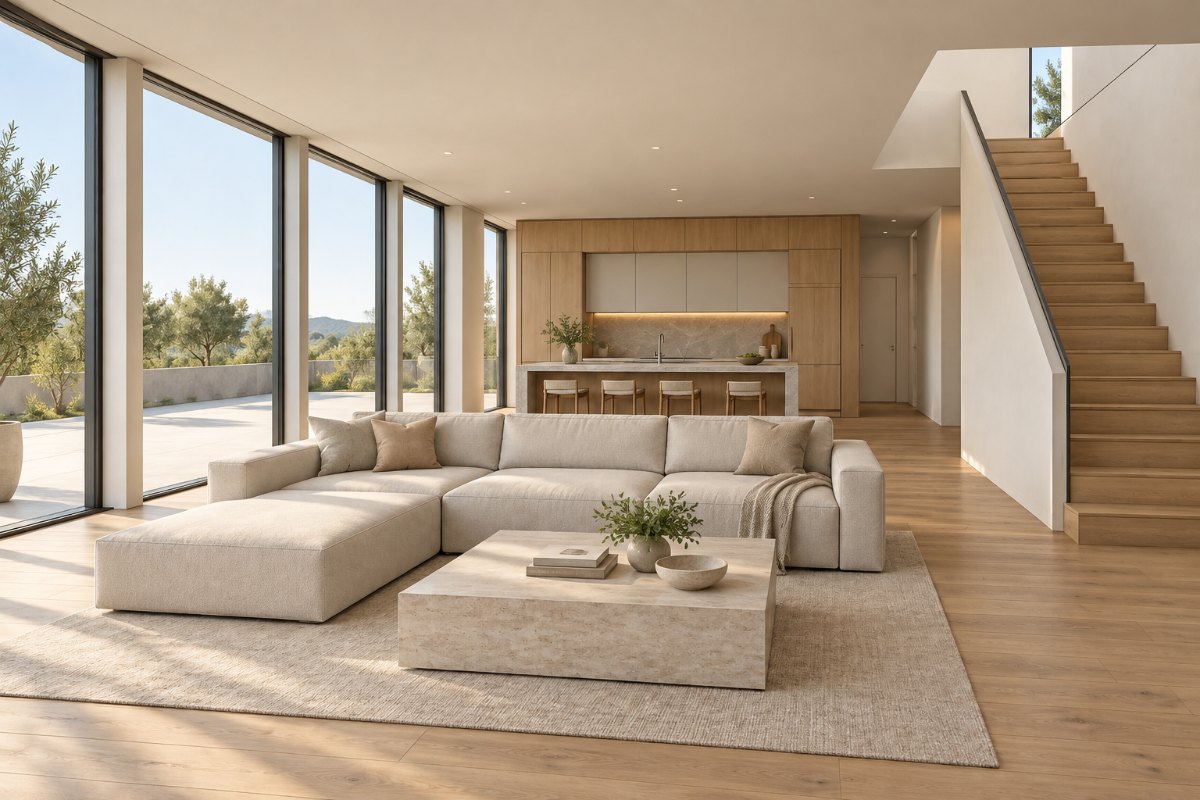 RoomGlint result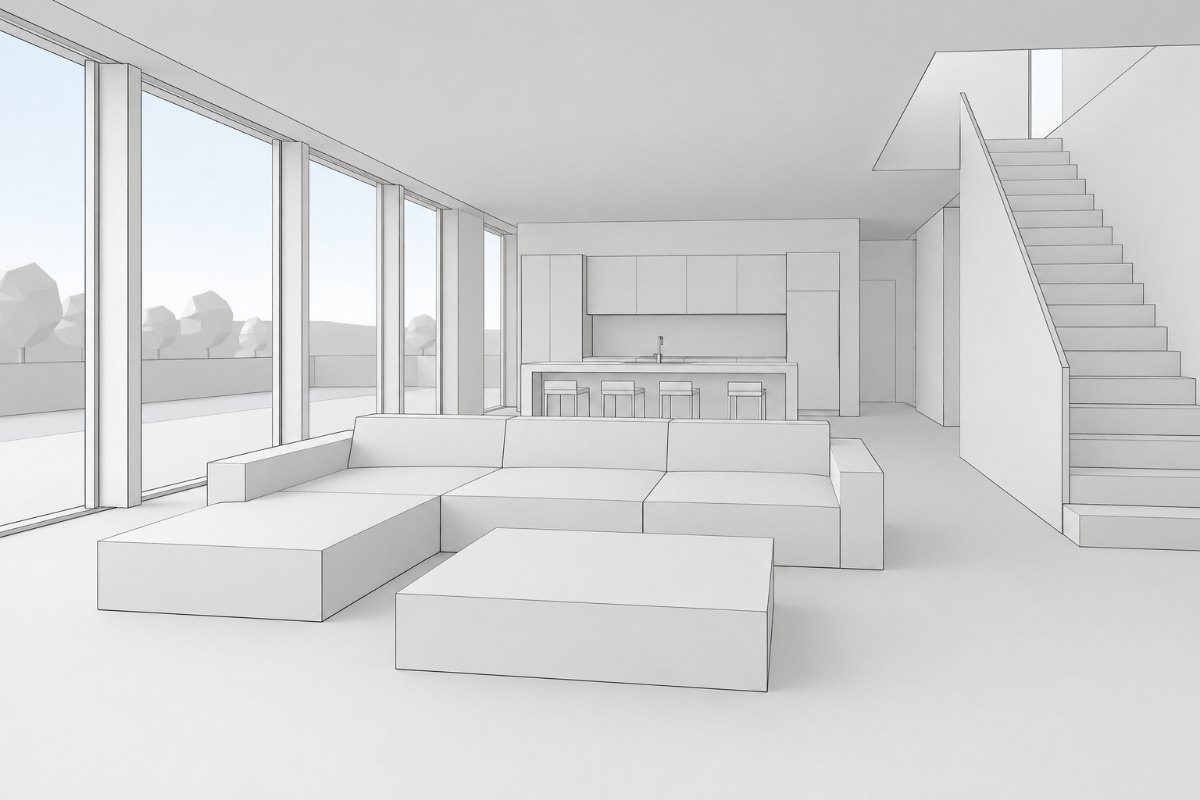
From Model View to Realistic Concept
An Interior White Model
Explore materials and lighting from a simplified interior view.
An Exterior Model Screenshot
See a realistic interpretation of a building screenshot while checking the original geometry.
Architectural Details Under Review
Compare windows, columns, openings, proportions, and viewpoint before sharing the image.
How to Create an AI Render from a Screenshot
Export the View You Want to Explore
Save your model view as an image. RoomGlint does not open native SketchUp or Revit files.
Add a Visual Direction
Select the scene type and describe the look you want to explore. Generate an image using 1 credit.
Compare It with the Model View
Check geometry, openings, columns, proportions, framing, and viewpoint. Use the result as a concept image, not as evidence that the design is unchanged.
Concept Rendering, Not Geometry-Locked Rendering
Useful for Early Visual Exploration
Explore a realistic appearance from a white model or screenshot without uploading a native design file.
Useful for Client Discussions
Commercial use allows you to include generated images in client presentations. Explain when an image is an AI-generated concept rather than a precise model render.
Not a Replacement for Exact Model Output
RoomGlint does not provide native-model rendering, editable 3D output, or a guarantee that the original geometry and camera angle remain unchanged.
AI Rendering: Key Facts
- Good fit for
- Creating realistic concept images from white models and exported model screenshots.
- Input
- A JPG, PNG, or WebP screenshot up to 10 MB. Native SketchUp and Revit files are not accepted.
- Output
- An image, not an editable 3D model, BIM file, or construction document.
- Free trial
- 2 free watermarked images after signup, shared across all three RoomGlint tools.
- Single-project purchase
- One-time packs start at $9.99 for 30 credits. No subscription is required, and pack credits expire one year after purchase.
- Monthly plans
- Starter includes 100 credits for $19 per month. Pro includes 250 credits for $39 per month.
- Commercial use
- Allowed for client presentations and other commercial projects, subject to the Terms.
- Important limits
- No Structural Lock, native-model integration, or guaranteed preservation of geometry and camera angle.
Buy Rendering Credits for a Single Project
No Subscription Required
Get 30 credits for $9.99 or 90 credits for $24.99. Each generated image uses 1 credit. Credit-pack balances expire one year after purchase.
Monthly Plans for Repeated Work
Starter includes 100 credits for $19 per month. Pro includes 250 credits for $39 per month. Monthly credits expire at the end of the billing period and do not roll over.
Credits also work with AI Room Design and Virtual Staging.
Working with a Real Room Photo Instead?
Use AI Room Design to explore changes to an existing room. Use Virtual Staging to add furniture to an empty-room photo.
AI Rendering Questions
Can I use a SketchUp or Revit screenshot?
Yes. Export or capture the view as a supported image file, then upload it. RoomGlint accepts screenshots, not native SketchUp or Revit files.
Do I need a plugin?
No. RoomGlint uses an image-upload workflow and does not provide a SketchUp or Revit plugin.
Does RoomGlint offer a structural lock?
No. RoomGlint aims to preserve the structure of your input image, but it does not lock the layout, geometry, or camera angle. Review each result for unintended changes.
Will the camera angle stay exactly the same?
That is not guaranteed. Compare the generated image with the original screenshot before using it to communicate the design.
Will I receive an editable 3D model?
No. The output is an image, not a 3D model, BIM file, or editable design scene.
Can I use the result as construction documentation?
No. Generated images are visual concepts. They do not establish dimensions, technical specifications, code compliance, or buildability.
Can I buy credits for just one project?
Yes. One-time packs contain 30 credits for $9.99 or 90 credits for $24.99. No subscription is required, and pack credits expire one year after purchase.