AI Room Design from Your Photo
Explore new styles, furniture, and finishes using a photo of your room. RoomGlint aims to preserve the existing structure while creating a new visual direction.
Sign in to get 2 free watermarked images, shared across all three tools. Paid results have no watermark.
Preferences guide the result but do not guarantee exact changes or preservation of individual objects.
Sign in to get 2 free image generations shared across all three tools. Free results include a watermark.
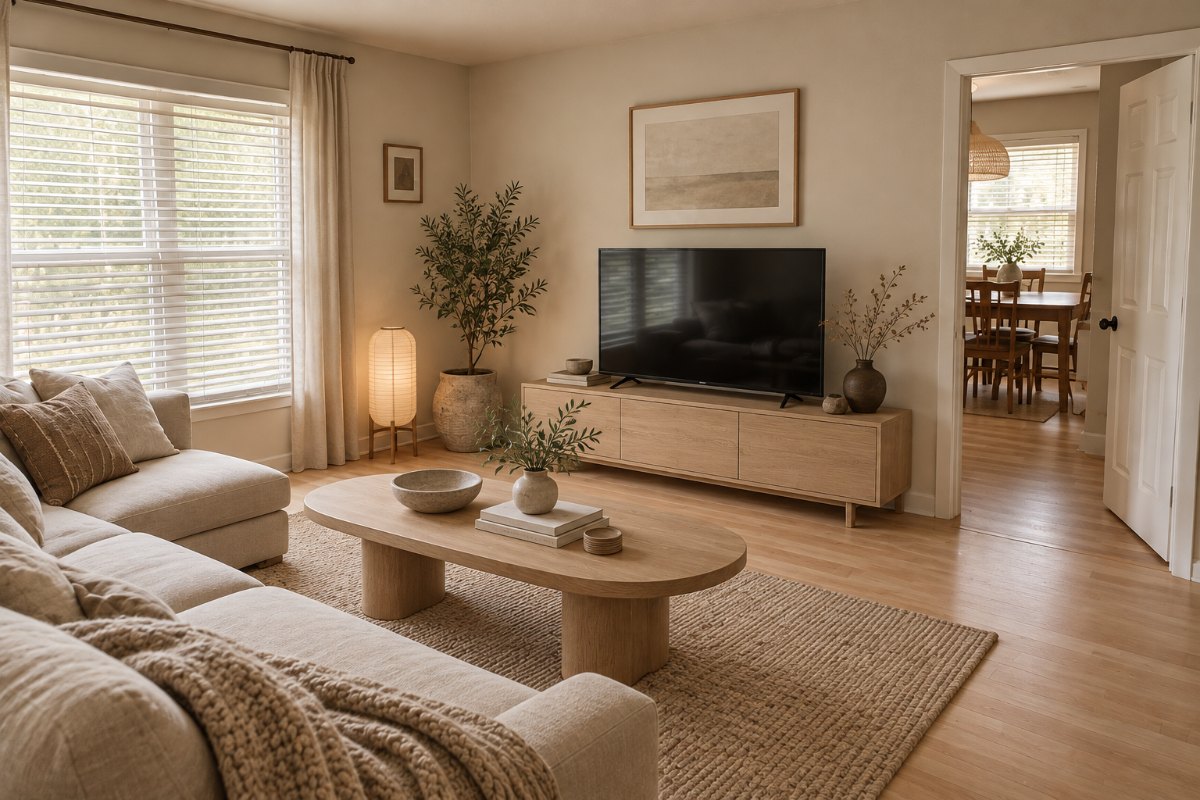 RoomGlint result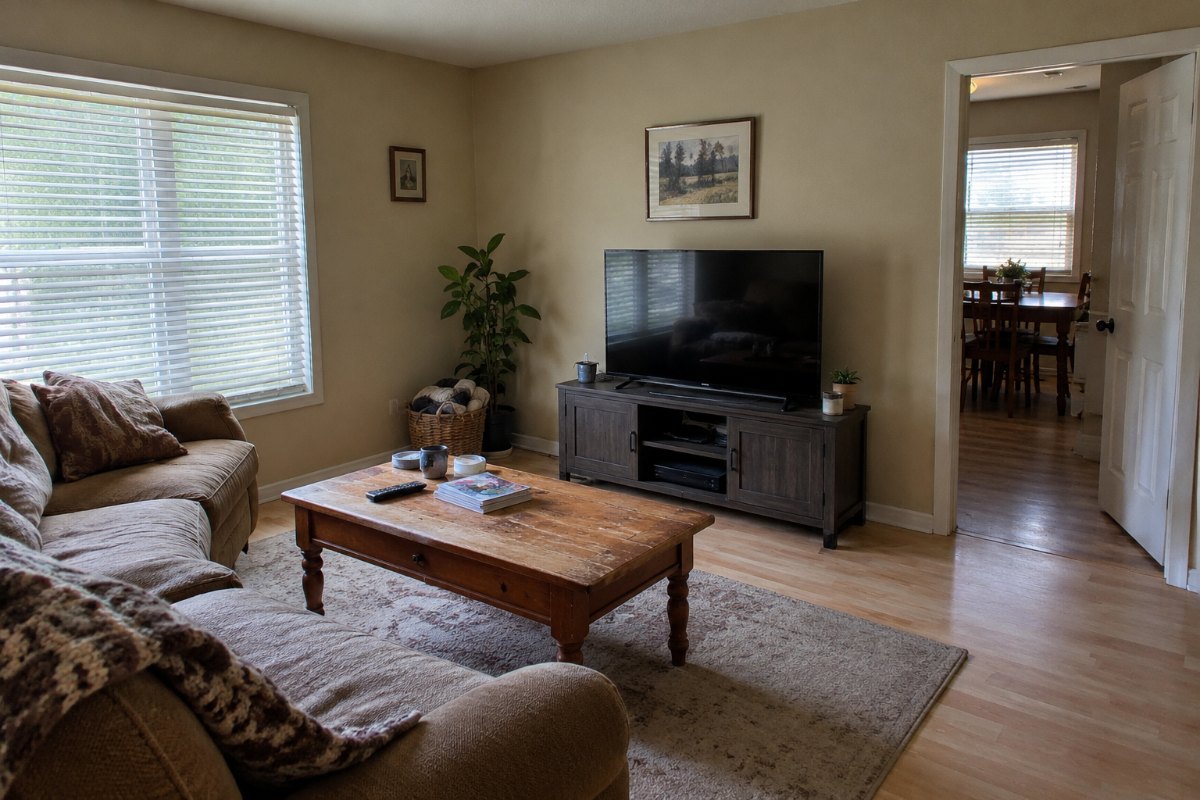
Explore New Looks for Your Room
Living Room Style Exploration
Compare a new furniture and finish combination with the room you already have.
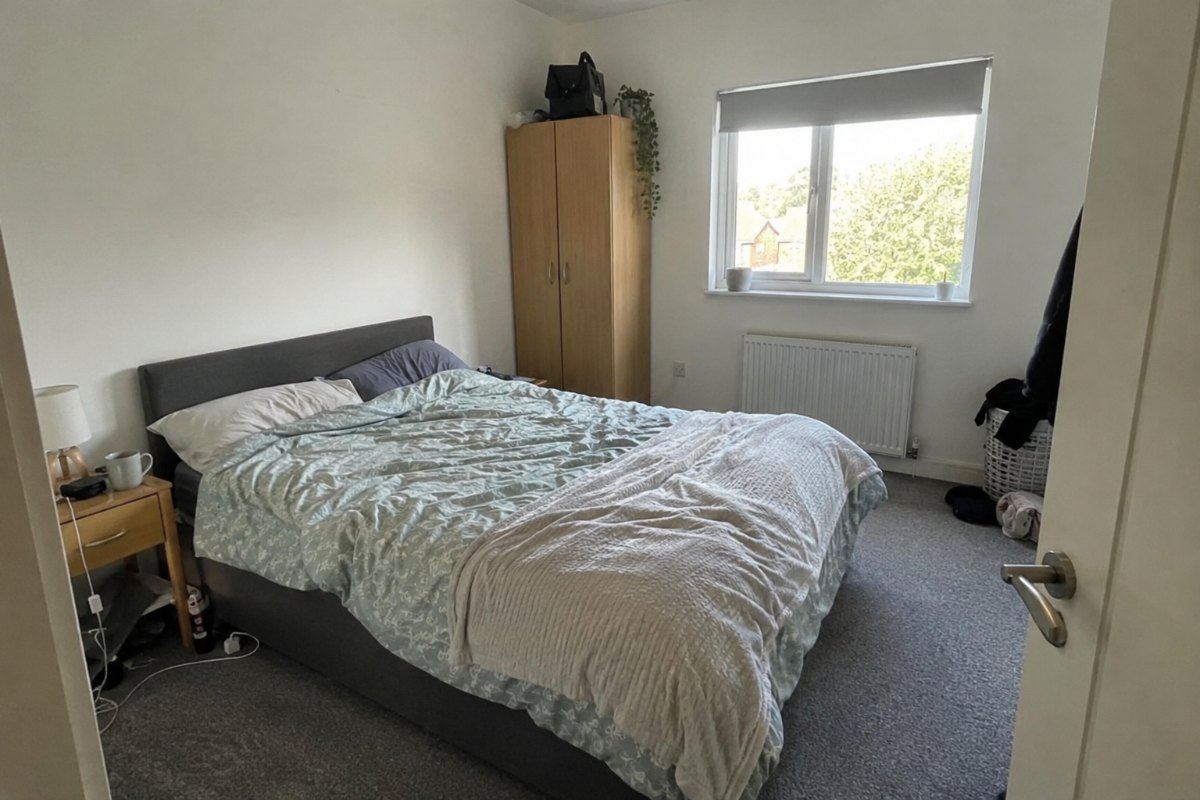
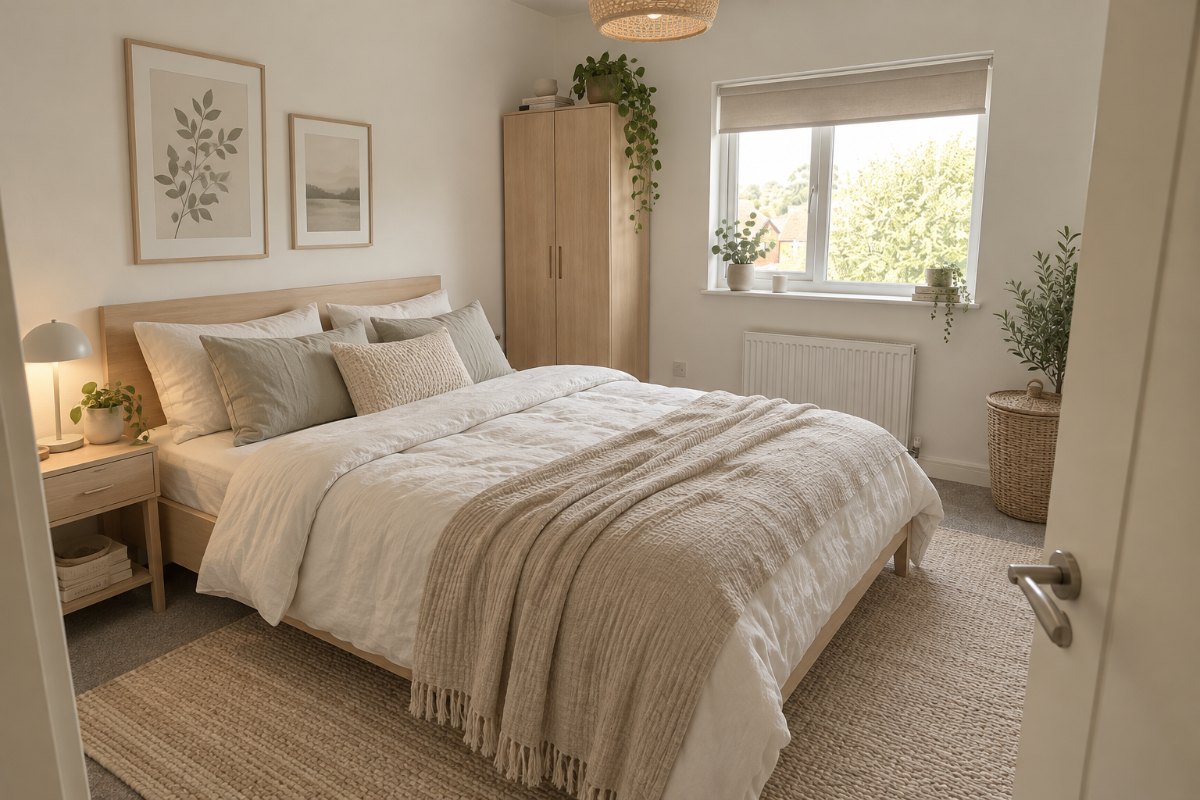
A Different Bedroom Atmosphere
Explore how changes in color, furniture, and finishes affect the overall look.
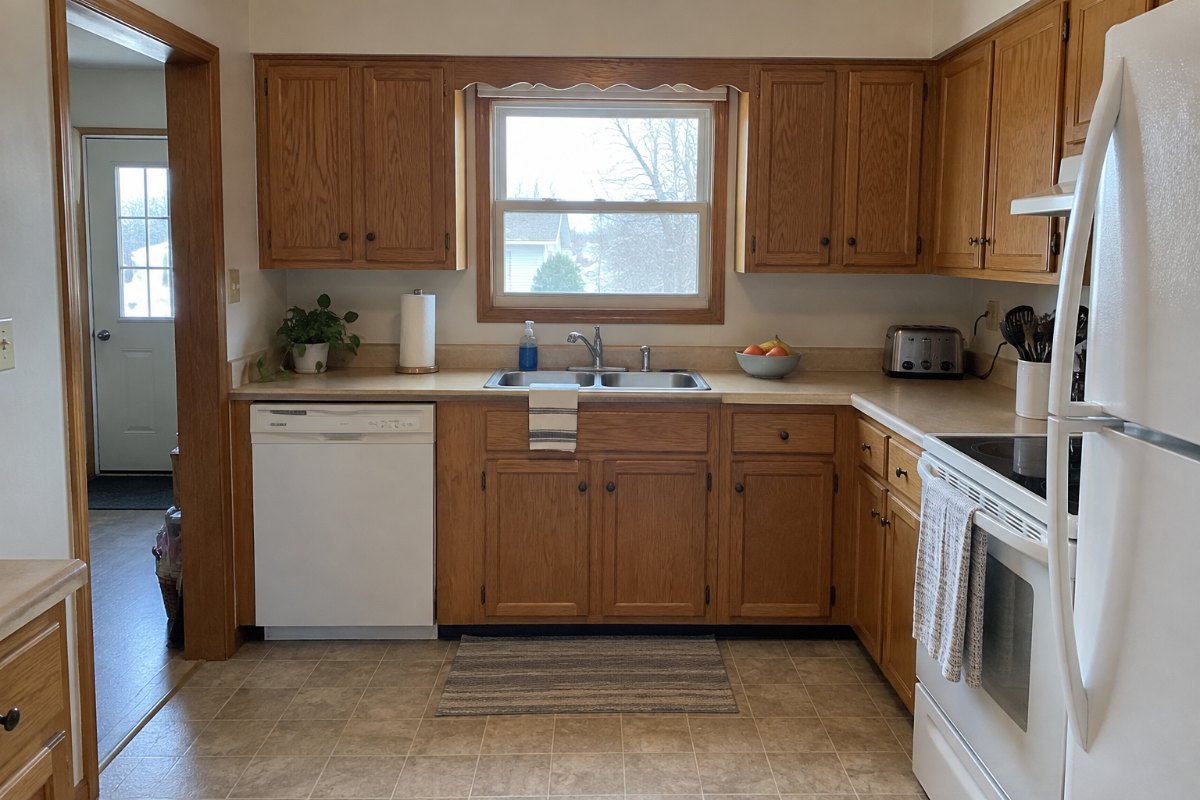
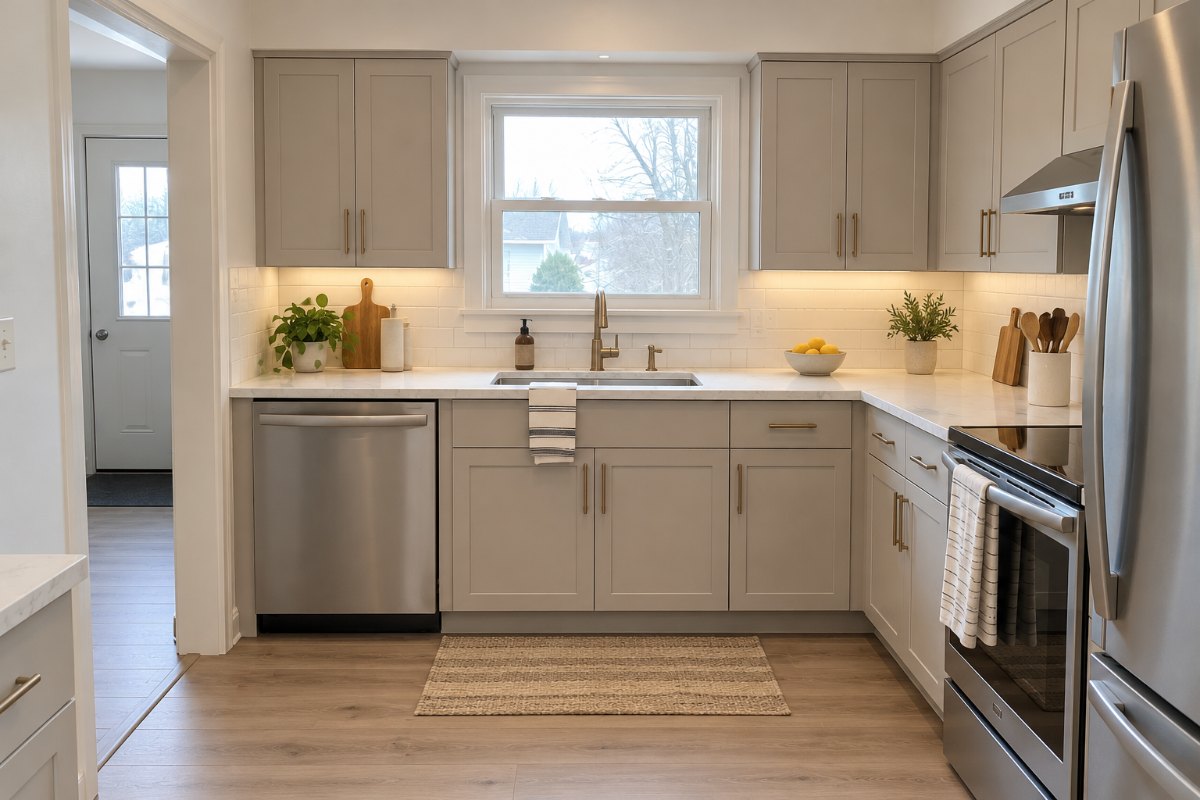
A New Kitchen Visual Direction
Preview a different appearance for the kitchen. Treat the result as a concept—not a measured renovation plan.
Redesign Your Room in Three Steps
Upload a Clear Room Photo
Use a photo that shows the main walls, openings, and furniture. RoomGlint accepts JPG, PNG, and WebP files up to 10 MB.
Describe the Look You Want
Choose a room type and style, then add any preferences. Start the generation when you are ready.
Review the New Design
Compare the result with your photo. Check for changes to doors, windows, layout, flooring, and proportions before using the concept.
AI Room Design at a Glance
- Good fit for
- Exploring styles, furniture, and finishes from a photo of an existing room.
- Input
- A room photo in JPG, PNG, or WebP format, up to 10 MB.
- Output
- A room-design concept image, not a measured plan or verified shopping list.
- Free trial
- 2 free watermarked images after signup, shared across all three RoomGlint tools.
- Price
- Monthly plans start at $19 for 100 credits. One-time packs start at $9.99 for 30 credits. Each generated image uses 1 credit.
- Commercial use
- Allowed for client work and other commercial projects, subject to the Terms.
- Important limits
- Exact layout preservation and isolated material-only edits are not guaranteed. Generated furniture may not correspond to products available for purchase.
Change the Look, Then Check the Details
Styles, Furniture, and Finishes
Use a room photo to explore a new visual direction without building a 3D scene.
Ideas for Your Next Decision
Compare concepts before discussing furniture, finishes, or a design direction with other people.
Not a Product Catalog or Renovation Plan
Generated furniture and materials may not correspond to real products. Images do not provide measurements, installation instructions, or confirmation that a change is practical.
Room Structure May Change
RoomGlint aims to preserve the room’s structure, but it does not lock it in place. AI may change architectural details, proportions, or viewpoint. Review the result against your original photo before using it.
Need a Different Kind of Image?
Virtual Staging for Empty Rooms
Starting with an empty room? Add furniture with our virtual staging tool, then review the result before using it in a presentation or property listing.
AI Rendering from Model Screenshots
Starting with a white model or model screenshot? Create a realistic concept image with our AI rendering tool.
Monthly Plans and One-Time Credit Packs
Monthly Plans for Repeated Use
Starter is $19 per month for 100 credits. Pro is $39 per month for 250 credits. Monthly credits expire at the end of the billing period and do not roll over.
One-Time Credits for Occasional Ideas
Buy 30 credits for $9.99 or 90 credits for $24.99 without a subscription. Credit-pack balances expire one year after purchase. Each generated image uses 1 credit.
Use your credits across AI Room Design, Virtual Staging, and AI Rendering.
Commercial Use and Private Images
Use Images in Your Work
You may use RoomGlint-generated images for commercial purposes, including client presentations and property listings, subject to our Terms. You are responsible for checking accuracy, following listing-platform rules, and making any required AI or virtual-staging disclosures.
Keep Your Images Private
Your images are private and are not published in a public gallery. They are retained for 30 days and can be deleted.
AI Room Design Questions
How does the free trial work?
Sign in to receive 2 free image generations shared across AI Room Design, Virtual Staging, and AI Rendering. Free results include a watermark. Paid results do not.
Will RoomGlint keep my windows, doors, and layout where they are?
RoomGlint aims to preserve your room’s structure, but this is not guaranteed. Doors, windows, layout, flooring, proportions, and viewpoint may change. Compare the result with your original photo before using it.
Can I redesign a room that already contains furniture?
Yes. AI Room Design is intended for exploring changes to a room’s appearance, including furniture, style, and finishes.
Can I use it for kitchen design ideas?
Yes. You can upload a kitchen photo to explore a visual direction. The result is not a measured layout, a cabinet specification, or a renovation plan.
Will the furniture in the image be available to buy?
Not necessarily. Generated furniture may be fictional or may not match a specific product. RoomGlint does not provide a verified shopping list.
Can I change only one material and leave everything else untouched?
RoomGlint does not currently promise isolated material-only edits. A generation may change other details even when your request focuses on one finish.
Is this suitable for a rented home?
You can use it to explore decorating ideas, but the image may show changes that are not allowed or practical in a rental. Check your lease and obtain any required permission before making changes.
Can I request several variations?
You can generate additional images to explore different directions. Each new generation uses 1 credit.
Questions about billing or credits? Read our Billing and Credits guide.